Your supplier data, ready for Apicbase
Your suppliers update their products and pricing, you approve the changes and Supplierly sends the agreed data to your Apicbase library.
Listed in the Apicbase partner portal

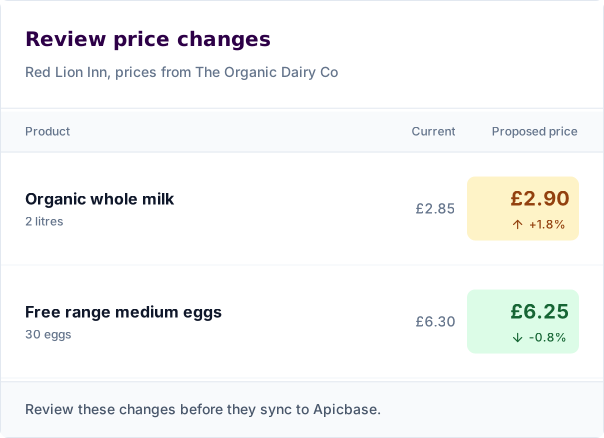
You decide what syncs to Apicbase
Compare current and proposed prices before approving a change. Review updates yourself, or use approval rules your team controls.
Future price changes sync when they take effect rather than immediately, so your GP isn't affected.
What gets sent to Apicbase?
Supplierly syncs the data you've approved from your suppliers straight into Apicbase. No spreadsheets and no manual integrations.
- Product details
- Names, descriptions and supplier product codes.
- Allergens and nutrition
- Supplier declarations and nutrition information for your ingredients.
- Pack sizes
- Pack quantities and units for stock items and supplier packages.
- Agreed pricing
- Approved customer prices for linked supplier packages.
Before you connect
Can I use my existing Apicbase ingredients?
Yes. Link supplier products to existing Apicbase ingredients before syncing to help avoid duplicates in your library.
What do I need to get started?
You need a Supplierly account and access to configure an integration for your Apicbase library. Our onboarding team will help you set up the integration.
Book a demo
Interested to see how Supplierly could help you get approved supplier data into Apicbase?